
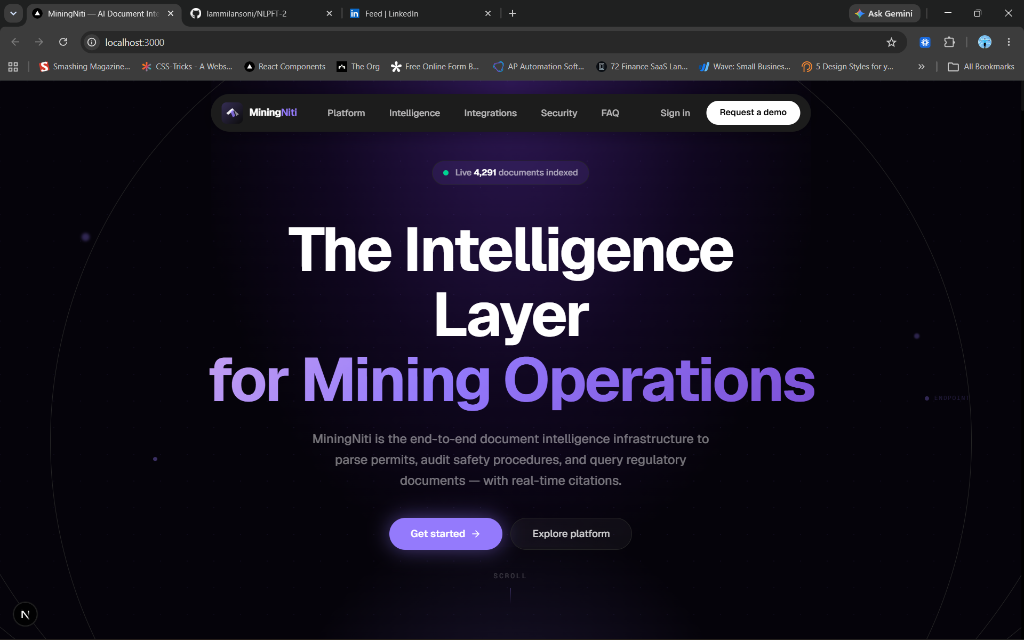
TL;DR: I built MiningNiti — an AI document intelligence platform for India's coal mining industry — using a multi-agent architecture, RAG-powered chat, and async background processing. It won the Smart India Hackathon 2023 National Finale. Here's every technical and architectural decision that got us there.
Update, August 2026. This post was written in March 2024, when the system ran four agents behind a Celery queue with Gemini doing the generation. It has changed since, and I've corrected the architecture sections below rather than leave a stale post standing: there are now five agents across four providers, generation runs on Groq/Cerebras/Mistral with Gemini reduced to embeddings, and retrieval quality is scored against a labelled golden set on every CI run. I've also removed two timing figures I could no longer reproduce. The current state is in the MiningNiti case study.
The Problem That Kept Safety Officers Up at Night
Picture this: a safety officer at a coal mine receives a new MSHA (Mine Safety and Health Administration) regulatory update. They need to cross-reference it against 200+ existing site protocols, flag any non-compliant procedures, and file a compliance report — all before the next inspection.
Manually, this takes days. An inspection violation in the mining industry isn't a slap on the wrist. It can mean a ₹1 crore fine, a forced shutdown, or worse — a workplace accident that was preventable.
This is the exact problem we set out to solve with MiningNiti, an AI-powered Document Intelligence Engine built specifically for the coal mining industry. The system processes thousands of documents — MSHA regulations, equipment manuals, geological surveys, incident reports — and makes critical information instantly queryable, auditable, and actionable.
Why "Just Use GPT-4" Isn't an Architecture
When most developers start building AI applications, they reach for one big LLM call: dump everything in, get an answer out. This approach breaks down almost immediately in production for three reasons:
1. Context window isn't infinite (practically speaking). Mining documents are dense. A single environmental impact assessment can run 150+ pages. You can't stuff that in one prompt and expect coherent, reliable output.
2. A single model can't specialize simultaneously. Extracting a mine location entity from a geological survey requires different reasoning than checking if a ventilation protocol meets MSHA 30 CFR Part 57. These are different cognitive tasks — conflating them degrades accuracy on both.
3. Single-point failure has no fallback. If your one LLM call fails or halluccinates on a safety-critical document, you have no recovery path. A pipeline of specialized agents gives you checkpoints.
This is why we built a Multi-Agent System with a dedicated agent for each cognitive task.
Architecture Overview
Before diving into the agents, here's the high-level system design:
[Next.js Frontend]
       ↓ REST API
[FastAPI Gateway] — JWT Auth (Clerk) — Rate Limiting — CORS
       ↓
  ┌────────────────────────────────────┐
  │            Orchestrator            │
  │   (coordinates — not an agent)     │
  └─────────────────┬──────────────────┘
                    ↓
             [Classifier]          Groq gpt-oss-120b
             runs FIRST — its category feeds the rest
                    ↓
     ┌──────────────┼──────────────┐   asyncio.gather()
     ↓              ↓              ↓
 [Safety     ]  [Entity     ]  [Summarizer]
 [Analyzer   ]  [Extractor  ]
  Mistral        Cerebras        Cerebras
  skipped for non-safety docs
                    ↓
 ┌──────────────────────────────────────────────┐
 │   PostgreSQL + pgvector  │  Upstash Redis    │
 │   (storage + embeddings) │  (analysis cache) │
 └──────────────────────────────────────────────┘

 [Compliance Auditor]  Groq — ON DEMAND, not on upload
  per-clause Pass / Fail / Not Addressed matrix
The key architectural insight here: the user never waits for AI processing. When a document is uploaded the API returns immediately, the work goes onto a background queue, and the frontend polls for status. That keeps the UI snappy regardless of document size.
One honest correction to the original version of this post: that queue is an in-process asyncio.Queue, not Celery. The Celery dependency is still sitting commented out in the requirements file. The consequence is real — queued work does not survive a restart and does not scale across replicas — so it belongs on the known-limits list rather than being described as finished.
The Agent Layer: Five Specialists, One Orchestrator
1. The Classifier Agent — Knowing What You're Looking At
Every document pipeline starts with classification. You can't apply the right analysis without first knowing what kind of document you have.
Our Classifier Agent sorts documents into four categories. The original version of this post listed nine; the taxonomy was collapsed because a fine-grained label that nothing downstream ever branches on is just a more expensive label:
| Category | Examples |
|---|---|
safety | Emergency evacuation procedures, PPE guidelines, incident investigations |
regulatory | MSHA 30 CFR, OSHA 1926, EPA compliance docs, permits |
equipment | Continuous miner operation guides, conveyor specs, maintenance schedules |
geological | Drill core logs, assay reports, environmental monitoring |
The category is load-bearing rather than decorative: it decides which agents run at all. A document classified equipment skips the safety analyzer entirely, so it never pays for a hazard screen it does not need.
Here's a simplified version of how the classifier agent works:
HLJS PYTHON# app/agents/classifier.py
from app.agents.base import BaseAgent
class ClassifierAgent(BaseAgent):
def __init__(self, llm_client):
self.llm = llm_client
self.prompt_template = """
You are a mining industry document specialist.
Analyze the following document excerpt and classify it.
Document text: {text}
Return JSON with:
- category: one of [safety_protocol, regulatory, incident_report,
equipment_manual, geological, environmental, training, maintenance, permit]
- confidence: float between 0 and 1
- reasoning: brief explanation
"""
async def run(self, document_text: str) -> dict:
# Use first 2000 chars for classification — cheap and fast
excerpt = document_text[:2000]
response = await self.llm.generate(
self.prompt_template.format(text=excerpt)
)
return self._parse_json_response(response)
The key optimization here: classification only uses the first 2,000 characters. This makes the most expensive first-pass cheap and fast. If confidence is below 0.7, we flag it for human review rather than making a bad downstream assumption.
2. The Safety Analyzer — The Most Critical Agent
This is the heart of MiningNiti. The Safety Analyzer takes the raw document text plus its classified category and performs three things simultaneously:
- Hazard Detection: Identifies physical, chemical, electrical, and procedural risks
- MSHA/OSHA Compliance Checking: Cross-references against known regulatory requirements for the document type
- Risk Scoring: Returns a 0–100 safety score with weighted factors
HLJS PYTHON# app/agents/safety_analyzer.py
SAFETY_PROMPT = """
You are an expert MSHA safety compliance analyst with 20 years of experience
in underground and surface coal mining operations.
Document Type: {doc_type}
Document Text: {text}
Perform a comprehensive safety analysis. Return structured JSON:
{{
"safety_score": <0-100>,
"hazards": [
{{
"type": "<physical|chemical|electrical|procedural|environmental>",
"description": "<specific hazard identified>",
"severity": "<low|medium|high|critical>",
"msha_reference": "<CFR section if applicable>"
}}
],
"compliance_gaps": ["<list of compliance violations or missing elements>"],
"recommendations": ["<actionable remediation steps>"],
"requires_immediate_action": <true|false>
}}
Base your analysis strictly on MSHA 30 CFR regulations applicable to the document type.
"""
class SafetyAnalyzerAgent(BaseAgent):
async def run(self, document_text: str, doc_type: str) -> dict:
response = await self.llm.generate(
SAFETY_PROMPT.format(text=document_text, doc_type=doc_type)
)
result = self._parse_json_response(response)
# If critical hazards found, trigger immediate notification
if result.get("requires_immediate_action"):
await self._trigger_alert(result)
return result
One design decision I'm particularly proud of: the requires_immediate_action flag. If the agent detects a critical hazard (e.g., a missing lockout/tagout procedure in an equipment manual), it immediately triggers an async notification before the full analysis pipeline even completes. Speed matters in safety-critical systems.
3. The Entity Extractor — Building a Knowledge Graph
Raw text becomes truly powerful when you can extract structured entities from it and build relationships between them. Our Entity Extractor is essentially a domain-specific NER (Named Entity Recognition) system built on top of an LLM.
It extracts:
HLJS PYTHONENTITY_TYPES = {
"equipment": ["continuous miner", "roof bolter", "shearer", "belt conveyor"],
"chemical": ["methane", "coal dust", "silica", "diesel exhaust"],
"regulation": ["30 CFR 75.400", "MSHA 1103", "OSHA 1926.800"],
"location": ["Section 7 North", "Panel B", "Main Slope"],
"personnel": ["mine foreman", "certified electrician", "safety officer"],
"incident_type": ["roof fall", "rib roll", "ignition", "entrapment"],
"date": [], # Dates for incident timelines
}
These extracted entities are stored relationally in PostgreSQL. Over time, this builds a queryable knowledge graph: you can ask "Which equipment appears most in incident reports from the last 6 months?" and get a data-backed answer.
4. The Summarizer Agent — Making it Human-Readable
Technical documents are dense. The Summarizer Agent generates:
- A 3–5 sentence executive summary
- A bullet-pointed list of key action items
- A plain-language risk overview
This output is what non-technical stakeholders (site managers, legal teams, government officials) actually see on the dashboard.
5. The Compliance Auditor — Run on Demand
The fifth agent does not run on upload. Auditing a document against a body of regulation is expensive and only meaningful once somebody actually asks, so this one is triggered explicitly. It cross-references an operational document against the relevant regulations and returns a per-clause Pass / Fail / Not Addressed matrix — a shape a safety officer can act on directly, rather than a paragraph of prose they have to re-read and interpret.
It runs on Groq's gpt-oss-120b and falls back to Cerebras on a rate limit: same model, four times the per-minute token headroom.
6. The Orchestrator — Running it All in Parallel
The Orchestrator is where we recover the performance lost by using several agents instead of one. Instead of running agents sequentially, we use asyncio.gather() to run them concurrently:
HLJS PYTHON# app/agents/orchestrator.py
import asyncio
class OrchestratorAgent:
async def process_document(self, document_text: str) -> dict:
# Step 1: Classify first (others depend on doc_type)
classification = await self.classifier.run(document_text)
doc_type = classification["category"]
# Step 2: Run remaining agents in PARALLEL
safety_result, entities, summary = await asyncio.gather(
self.safety_analyzer.run(document_text, doc_type),
self.entity_extractor.run(document_text, doc_type),
self.summarizer.run(document_text, doc_type),
)
return {
"classification": classification,
"safety_analysis": safety_result,
"entities": entities,
"summary": summary,
}
The net effect: one blocking call for classification, then three agents overlapping instead of queueing behind each other.
The original version of this post put concrete numbers here — roughly 20 seconds sequential against roughly 8 end-to-end. I have removed them. They came from ad-hoc runs on a laptop against a single document, and I cannot reproduce them under controlled conditions, which makes them decoration rather than evidence. The numbers I can stand behind are further down: retrieval quality, measured against a labelled set on every CI run.
RAG-Powered Chat: Making Documents Conversational
The document analysis pipeline covers understanding documents. But safety officers also need to query across documents: "What do our protocols say about methane concentration limits?" or "Show me all incidents involving roof falls in Section 7 from Q3."
This is where RAG (Retrieval-Augmented Generation) comes in.
Embedding Pipeline
When documents are processed, we don't just store the text — we also generate and store vector embeddings using Gemini's embedding model, stored in PostgreSQL via the pgvector extension:
HLJS PYTHON# app/services/embedding_service.py
import google.generativeai as genai
from pgvector.sqlalchemy import Vector
async def embed_and_store_chunks(document_id: str, text: str, db_session):
"""Chunk document and store embeddings in pgvector."""
chunks = chunk_text(text, chunk_size=512, overlap=64)
for i, chunk in enumerate(chunks):
# Generate embedding via Gemini
embedding = genai.embed_content(
model="models/text-embedding-004",
content=chunk,
task_type="RETRIEVAL_DOCUMENT"
)["embedding"]
# Store chunk + embedding
db_session.add(DocumentChunk(
document_id=document_id,
chunk_index=i,
content=chunk,
embedding=embedding # pgvector column
))
await db_session.commit()
The chunking strategy deserves attention: we use 512-token chunks with 64-token overlap. The overlap ensures that sentences at chunk boundaries don't lose context. This is a well-known RAG optimization that meaningfully improves retrieval accuracy.
Query-Time RAG
When a user sends a chat message, we:
- Embed the query
- Retrieve the top-K most semantically similar chunks via cosine similarity
- Inject the retrieved context into the LLM prompt
- Stream the response back with source citations
HLJS PYTHONasync def chat_with_rag(user_query: str, session_id: str, db_session) -> str:
# 1. Embed the query
query_embedding = embed_query(user_query)
# 2. Retrieve relevant chunks (pgvector cosine similarity)
relevant_chunks = await db_session.execute(
"""
SELECT content, document_id, chunk_index,
1 - (embedding <=> :query_vec) AS similarity
FROM document_chunks
ORDER BY embedding <=> :query_vec
LIMIT 5
""",
{"query_vec": query_embedding}
)
# 3. Build context-augmented prompt
context = "\n\n".join([c.content for c in relevant_chunks])
prompt = f"""
You are a mining safety expert. Answer based strictly on the provided documents.
Always cite your sources.
Context from documents:
{context}
User Question: {user_query}
If the answer isn't in the context, say so clearly. Never hallucinate.
"""
# 4. Generate and return response
return await llm.generate(prompt)
The instruction "If the answer isn't in the context, say so clearly. Never hallucinate." is non-negotiable in safety-critical systems. An AI that confidently makes up a ventilation requirement is worse than no AI at all.
The Async Architecture: Why Your Upload Feels Instant
Document processing is inherently slow (multiple LLM calls, embedding generation, database writes). We can't block the HTTP request thread waiting for it.
The solution: Celery + Redis as an async task queue.
POST /api/v1/documents  →  202 Accepted  →  task_id: "abc123"
                               ↓
                    [Document stored in DB]
                    [Task pushed to Redis queue]
                               ↓
              [Celery worker picks up task]
              [Runs orchestrator pipeline]
              [Updates DB with results]
                               ↓
         GET /api/v1/jobs/abc123  →  { "status": "completed" }
The FastAPI endpoint returns in ~100ms. The heavy processing happens asynchronously. The frontend polls the job status endpoint and shows a progress indicator.
HLJS PYTHON# app/api/v1/documents.py
@router.post("/documents", status_code=202)
async def upload_document(file: UploadFile, db: AsyncSession = Depends(get_db)):
# Save document metadata
document = await save_document_metadata(file, db)
# Push to async queue — don't wait for it!
task = process_document_task.delay(document.id)
return {
"document_id": document.id,
"task_id": task.id,
"status": "processing",
"message": "Document queued for analysis"
}
This pattern is clean, scalable, and production-ready. Celery workers can be scaled horizontally — add more workers to handle more concurrent document uploads without changing a line of application code.
Production Considerations That Hackathon Demos Skip
Security That's Actually Enforced
We used Clerk for JWT authentication, but the important part is how we enforce it on every protected endpoint:
HLJS PYTHON# app/core/security.py
async def verify_token(authorization: str = Header(...)) -> str:
"""Verify Clerk JWT and return user_id."""
try:
token = authorization.replace("Bearer ", "")
payload = jwt.decode(token, options={"verify_signature": True})
return payload["sub"] # user_id
except jwt.ExpiredSignatureError:
raise HTTPException(401, "Token expired")
except Exception:
raise HTTPException(401, "Invalid token")
Every document, chat session, and analytics query is scoped to the authenticated user_id. Users can only access their own data. This isn't just good security — it's the foundation for future multi-tenant enterprise billing.
Audit Logging
Every action in MiningNiti is logged: who uploaded what document, who ran which query, when safety alerts were triggered. In a regulated industry like mining, this audit trail isn't optional — it's required for compliance.
Input Validation with Pydantic
Every API endpoint uses Pydantic schemas for request/response validation:
HLJS PYTHONclass DocumentUploadResponse(BaseModel):
document_id: UUID
filename: str
status: ProcessingStatus
task_id: str
created_at: datetime
class Config:
from_attributes = True
No raw dict passing. No surprise KeyError in production. Types all the way down.
The Frontend: Next.js App Router with Real-Time Feedback
The frontend is built on Next.js 15 with the App Router, shadcn/ui for components, and Tailwind for styling. A few frontend patterns worth noting:
Polling with exponential backoff:
HLJS TYPESCRIPT// Polls job status after upload, backs off exponentially
async function pollJobStatus(taskId: string) {
const intervals = [1000, 2000, 3000, 5000, 10000]; // ms
for (const interval of intervals) {
await sleep(interval);
const status = await fetchJobStatus(taskId);
if (status === 'completed' || status === 'failed') {
return status;
}
}
}
Server Components for static data, Client Components for interactive elements. The document list and analytics dashboard use React Server Components to reduce client JS bundle size. The chat interface and real-time status updates are Client Components.
Results: What the Numbers Actually Mean
| Metric | Before MiningNiti | After MiningNiti |
|---|---|---|
| Manual compliance review time | 3–5 days per batch | Under 10 seconds per document |
| Safety hazard detection rate | Depends on reviewer | Consistent, regulation-referenced |
| Cross-document querying | Ctrl+F across PDFs | Natural language RAG chat |
| Audit trail | Manual spreadsheets | Automated, timestamped logs |
The original version of this post claimed a reduction of "over 90%" in document analysis time. I have taken that out. It was never measured against a baseline I could point to — it was an estimate that hardened into a statistic through repetition, which is exactly how portfolio numbers go bad.
Here is what is actually measured. Retrieval runs against a labelled golden set of 12 queries over a 130-chunk mining corpus on every CI run, using a local sentence-transformers model so it needs no API keys and stays deterministic. The gate blocks the build:
| Metric | What it measures | Floor | Current |
|---|---|---|---|
| Hit Rate@5 | Any relevant chunk in the top 5 | 0.90 | 1.000 |
| MRR | How high the first relevant chunk ranks | 0.75 | 1.000 |
| Recall@5 | Share of all relevant chunks retrieved | 0.85 | 0.958 |
| nDCG@5 | Rewards clustering relevant chunks high | 0.75 | 0.968 |
Alongside that: 274 tests collected — 242 of them green as blocking CI gates on every push — 27.1K lines across two apps, five agents across four providers, $0/month infrastructure.
A word on provenance, because it matters. The Smart India Hackathon 2023 National Finale win — from a field of 44,000+ teams, on a Ministry of Coal problem statement — was a team prototype, and it is not the system described above. That prototype was a single-pass LangChain RAG chatbot over FAISS. The architecture in this article is an independent, ground-up rebuild I started in June 2025 and have developed solo since; none of the 2023 code carried over. The hackathon gave me the problem. Everything here is what I did with it afterwards, with the time to build it production-shaped rather than demo-shaped.
What I'd Do Differently Today
No post-mortem is complete without honesty about what could be better.
1. LangGraph instead of custom orchestration. We wrote our orchestrator from scratch. LangGraph would have given us graph-based agent state management, built-in retry logic, and streaming support out of the box. When I revisit this project, LangGraph is the first upgrade.
2. Observability from day one. (since done)
We added logging after the fact. LangSmith tracing now wraps AgentOrchestrator.analyze_document(), hybrid_search() and ChatService.generate_response(), degrading to a no-op when the key is absent so local runs are unaffected.
3. Evaluation before production. (since done — and it changed my mind about something) We had no systematic evals. There is now a retrieval gate in CI, and building it produced the single most useful finding in the project: aggregate metrics could not prove the lexical arm was alive. Making keyword search return nothing left every aggregate metric unchanged, because at a 130-chunk corpus the cross-encoder simply compensated. A green dashboard could not distinguish working hybrid search from half-dead hybrid search. The suite now carries direct guards that the lexical index returns rows and can tell 30 CFR 75.323 from 75.400 — those are the tests that actually fail when it breaks.
4. Streaming responses in chat. (since done)
Chat now streams over SSE with inline [Document, Page X] citations rather than returning the whole response at once.
5. The thing I did not anticipate: a 400-row table became one 14,703-character chunk.
Chunking was configured in words and grouped by sentence. A Markdown table contains no sentence-ending punctuation, so an entire table emitted as a single chunk — and gemini-embedding-001 truncates silently past roughly 2,048 tokens. Most of that table was never indexed, and nothing anywhere raised an error. The fix was a hard MAX_CHUNK_CHARS = 4000 applied after sentence grouping. Silent truncation is the failure mode I now look for first.
Key Takeaways for Engineers Building AI Systems
If you're building production GenAI applications, here's what this project taught me:
-
Use the right model for the right task. Classification doesn't need the same model as compliance analysis. Cheaper, faster, smaller models for high-frequency simple tasks. Reserve the heavy model for nuanced reasoning.
-
Async everything. If a user has to wait more than 2 seconds, you've already lost them. Background queues are non-negotiable for LLM workloads.
-
Design against hallucination. Explicitly instruct models to say "I don't know" rather than make things up. In safety-critical domains, a confident wrong answer is dangerous.
-
Embeddings are cheap; accuracy is everything. Store more chunks. Use overlap. Tune chunk size to your domain. Don't skip the evaluation step.
-
Your architecture should outlast your hackathon. If you wouldn't be comfortable scaling it to 10,000 users, it's a demo, not a product.
The Code
The full source code is on GitHub: github.com/Iammilansoni/MiningNiti
The stack: FastAPI 0.128 + Python 3.11 | Next.js 16 + React 19 | PostgreSQL 16 + pgvector | Upstash Redis | Groq / Cerebras / Mistral for generation | Gemini gemini-embedding-001 for embeddings | Clerk | Docker
If you're building in the GenAI/AI Engineering space and found this useful, I'd love to connect. I'm currently exploring opportunities in AI Engineering and Full-Stack Development. Let's build something that matters.